

How to change the email address or contact number on Cypher
Updated January 26, 2025
To update your contact number or email address, just follow these steps:
- Log in to your Cypher account.
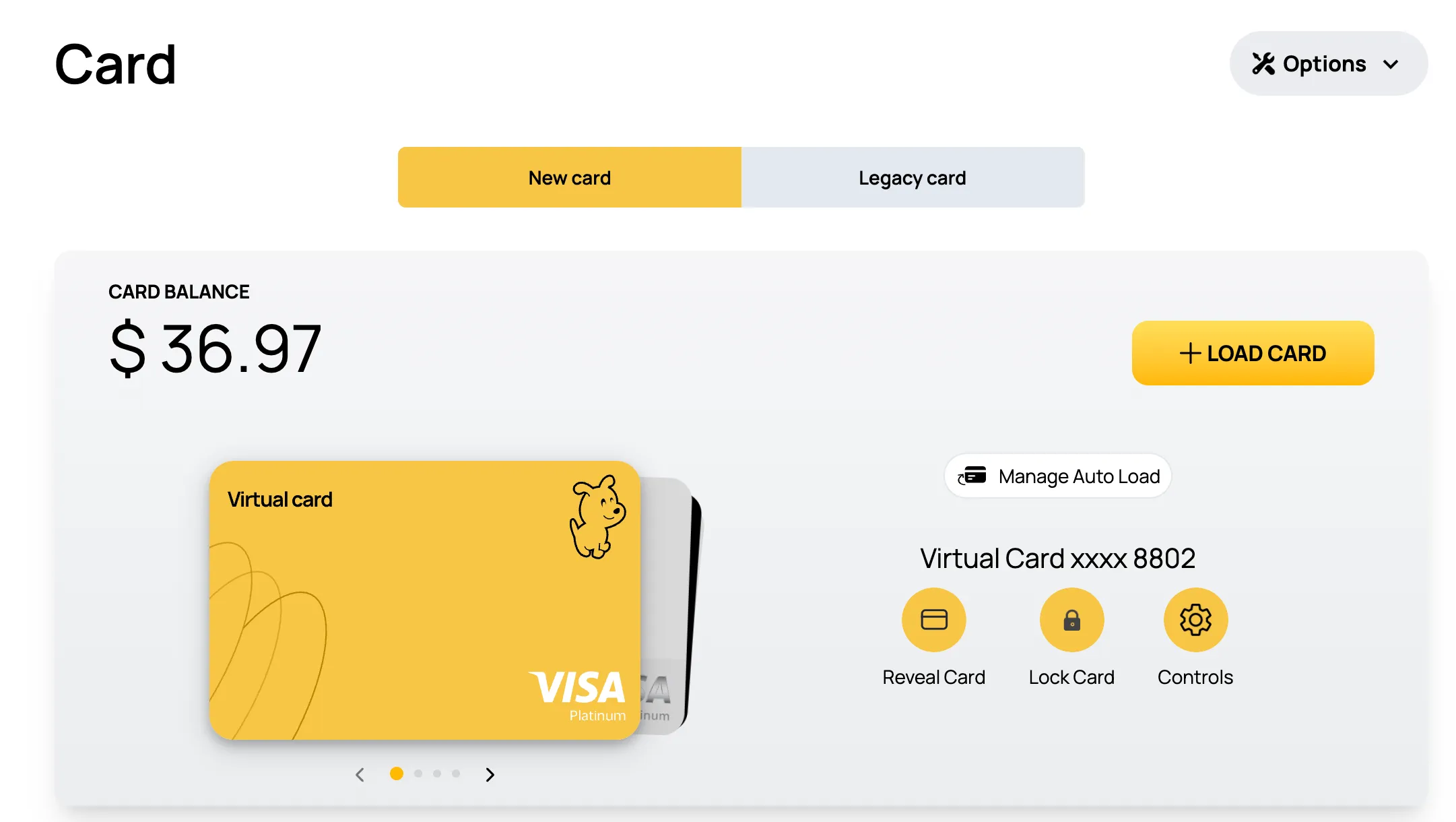
- Go to the “Cards” section.
- Tap on “Options” in the top-right corner.
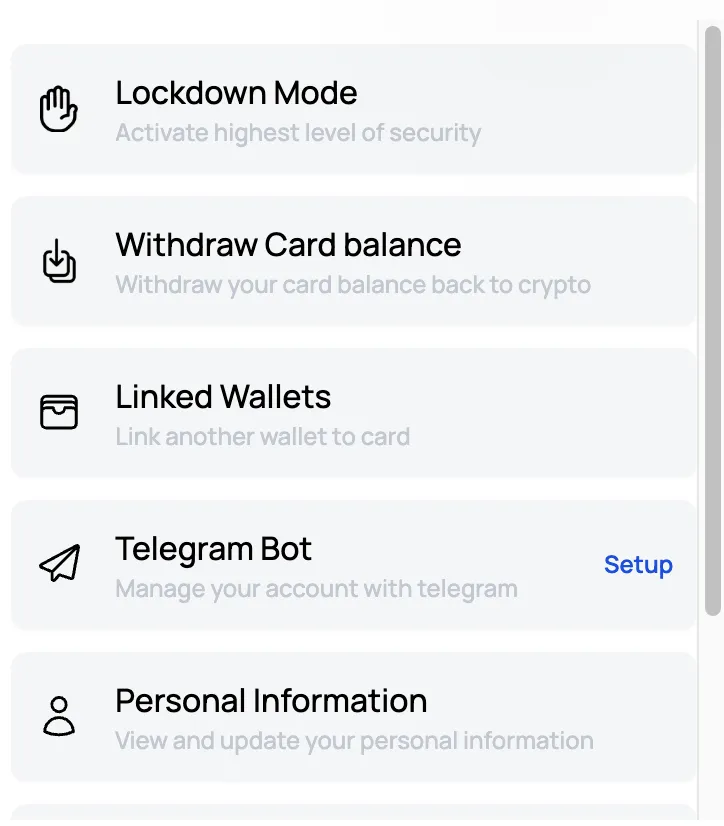
- Select the “Personal Information” option.
- Update your contact details or email address, and you’re all set!
Go to the “Cards” section. Tap on “Options” in the top-right corner.
Select the “Personal Information” option.
And update your contact information