

How do I reveal my seed phrase and private keys?
Updated July 7, 2026
Please follow the steps below to reveal and back up your wallet’s recovery details:
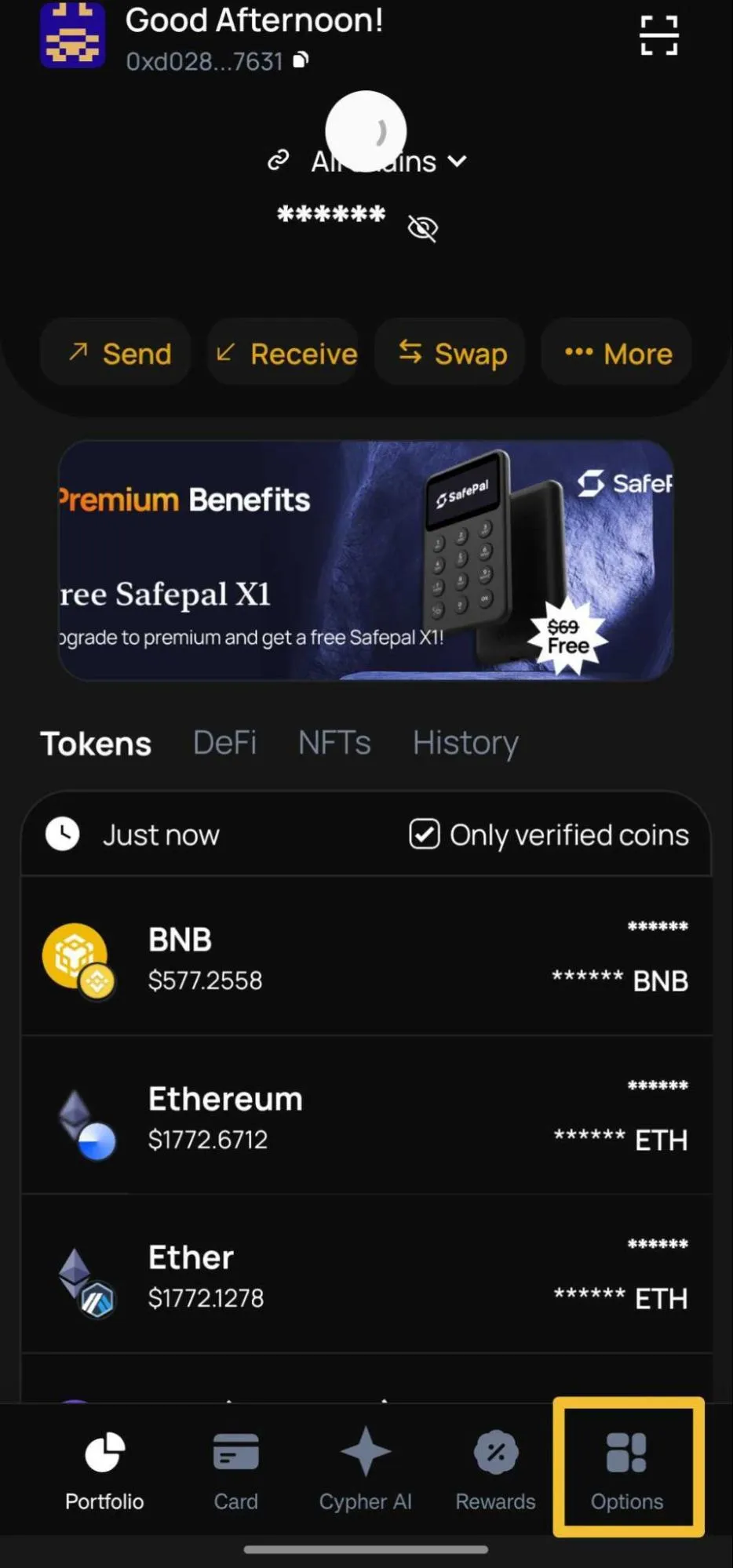
- Log in to the Cypher app.
- Go to “Options” on the bottom right corner
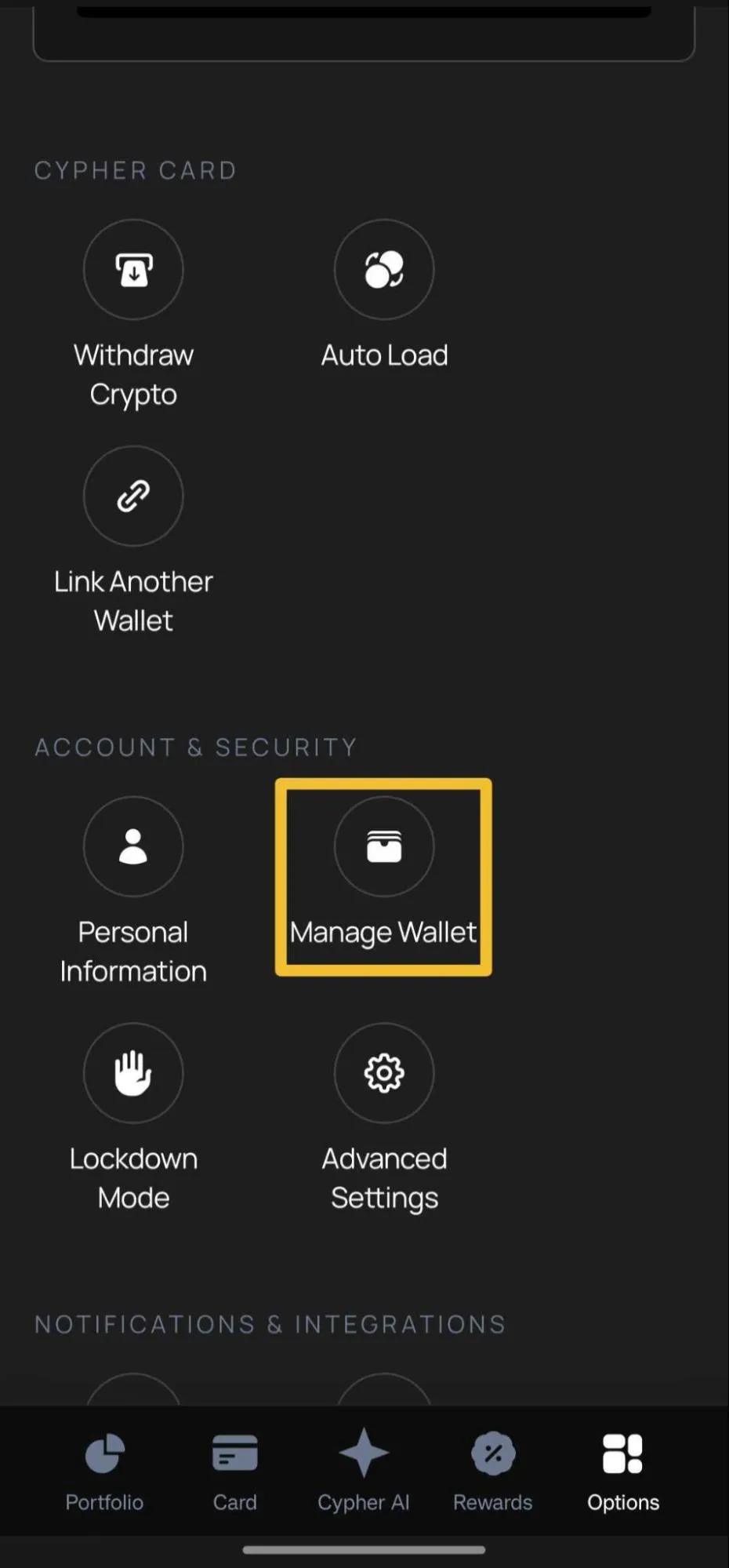
- Under “Account & Security”, select “Manage Wallet”
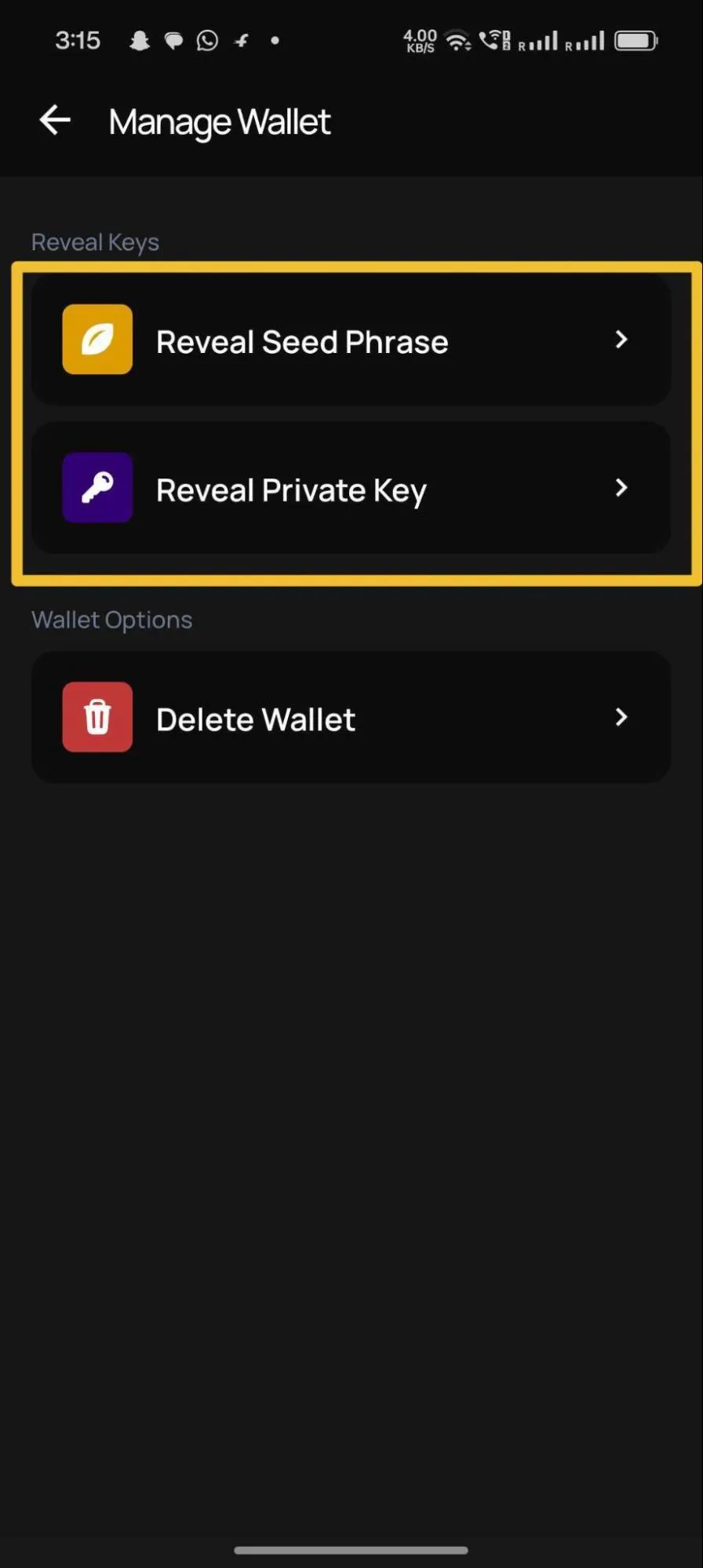
- Select “Reveal Seed Phrase” and securely save your seed phrase.
- You can also select “Reveal Private Key”, choose each supported blockchain, and copy the private key for each one.
Both your Seed Phrase and Private Keys are important for recovering your wallet if you lose access to your device. Please store them in a safe and secure location, and never share them with anyone.