

How to add a country to your allowlist
Updated January 20, 2026
Cypher’s advanced card controls dashboard lets users prevent unauthorized transactions by disabling all international transactions. Users can also allow specific countries based on their needs.
Follow these simple steps to add a country to your allowlist:
Step 1: Log In
- Open the Cypher app or website.
- Log in with your registered credentials.
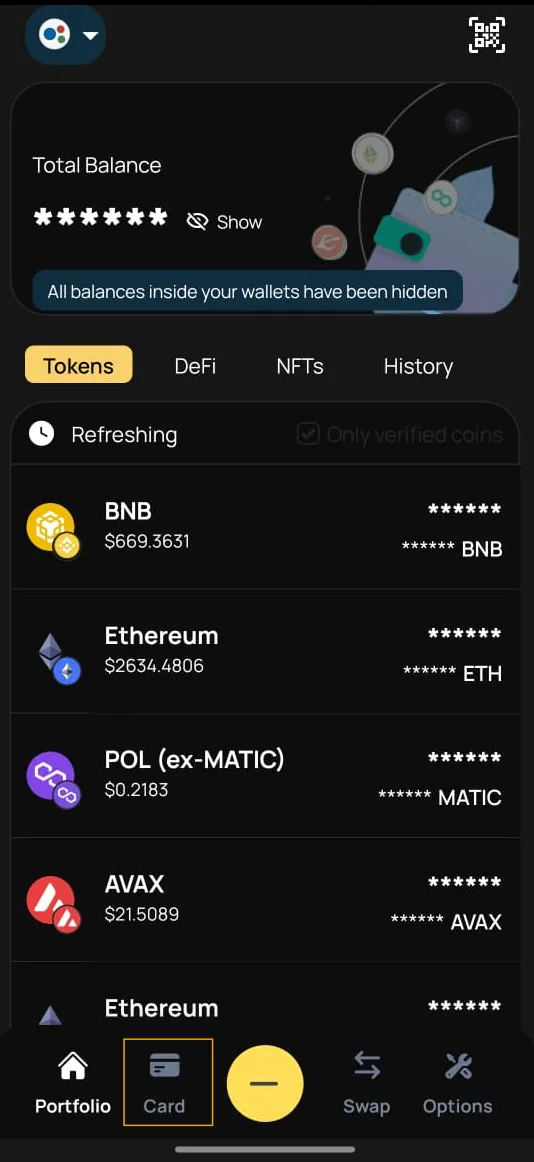
Step 2: Go to the “Cards” Section
-
Once logged in, navigate to the “Card” tab in the dashboard.
Step 3: Select the Card
-
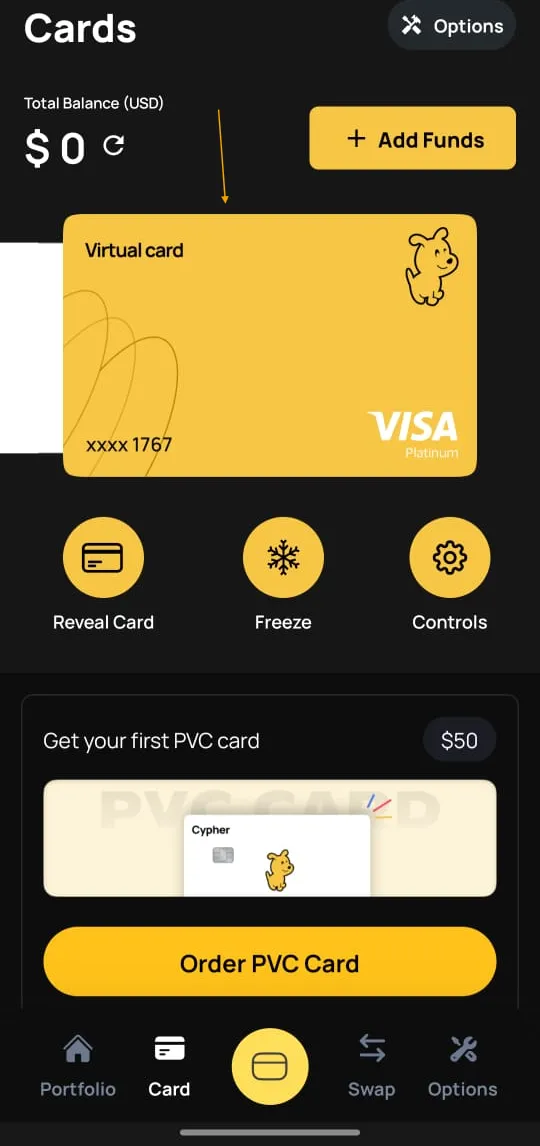
Choose the card you want to configure (can be physical or virtual).
Step 4: Access Card Controls
- Tap on “Controls” for the selected card.
Step 5: Navigate to the Demographic Section
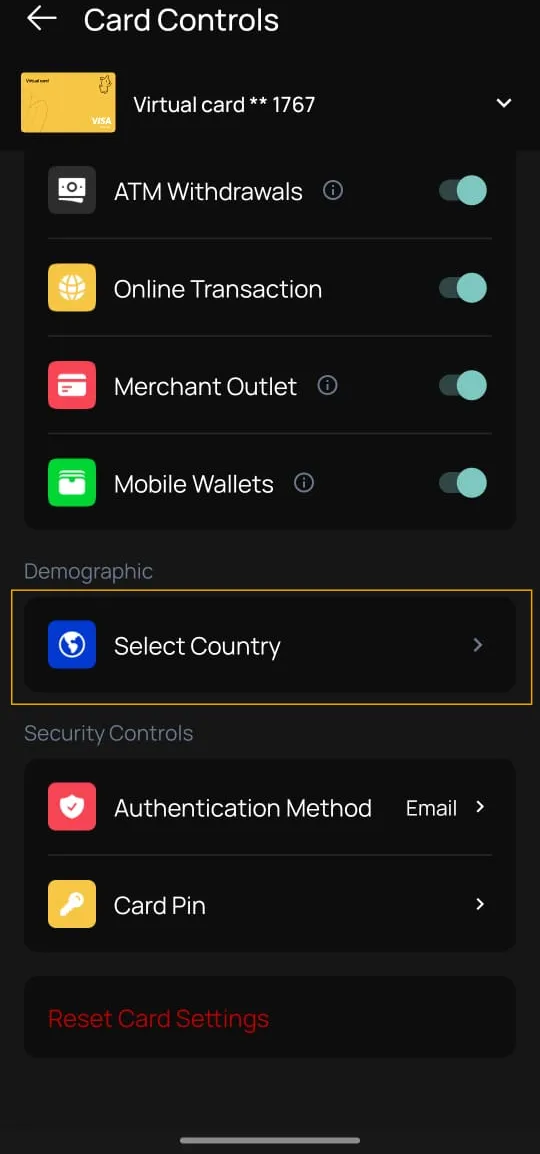
- Swipe down on the controls page to find the “Demographic” section.
- Locate the “Select Country” option.
Step 6: Add a Country
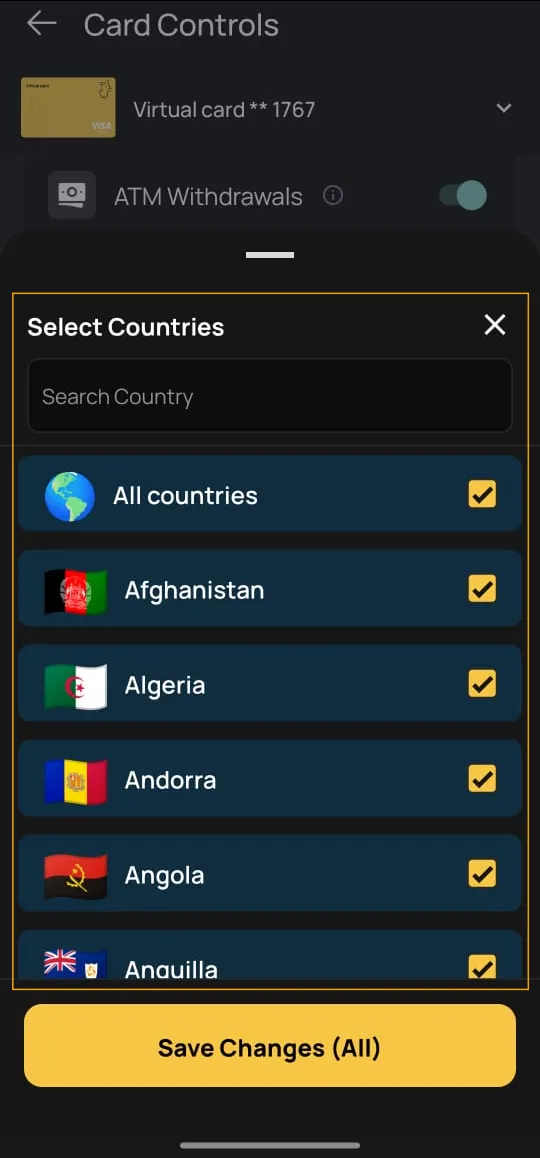
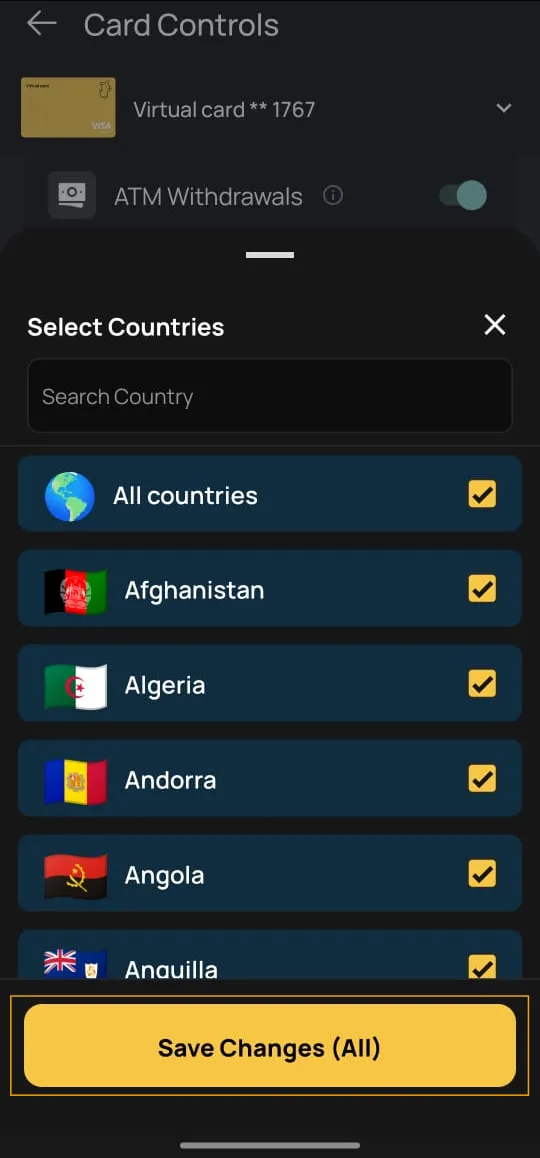
- Tap on “Select Country”.
- Browse or search for the country you want to allow.
- Add it to the “Allowed Countries” list.
Step 7: Save Changes
-
After selecting the country, tap on “Save Changes” to apply the update.
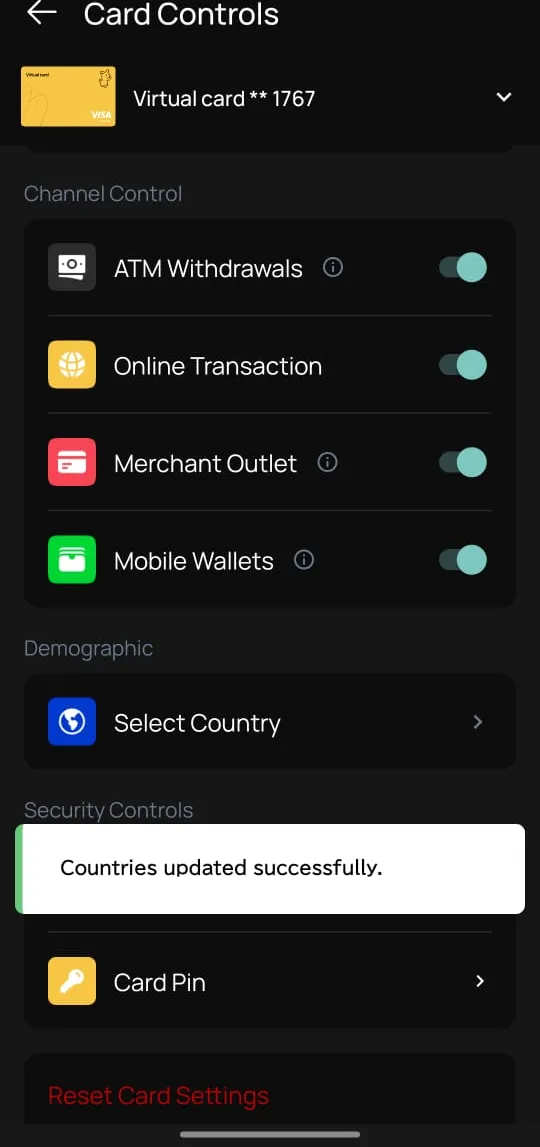
You’ve successfully allowed international transactions for the selected country on your Cypher card!