

How to set PIN for ATM Withdrawal
Updated January 15, 2026
Follow these steps to set a PIN for your physical Cypher card:
-
Log in to your Cypher account.
-
Go to the Card section and select your physical card.
-
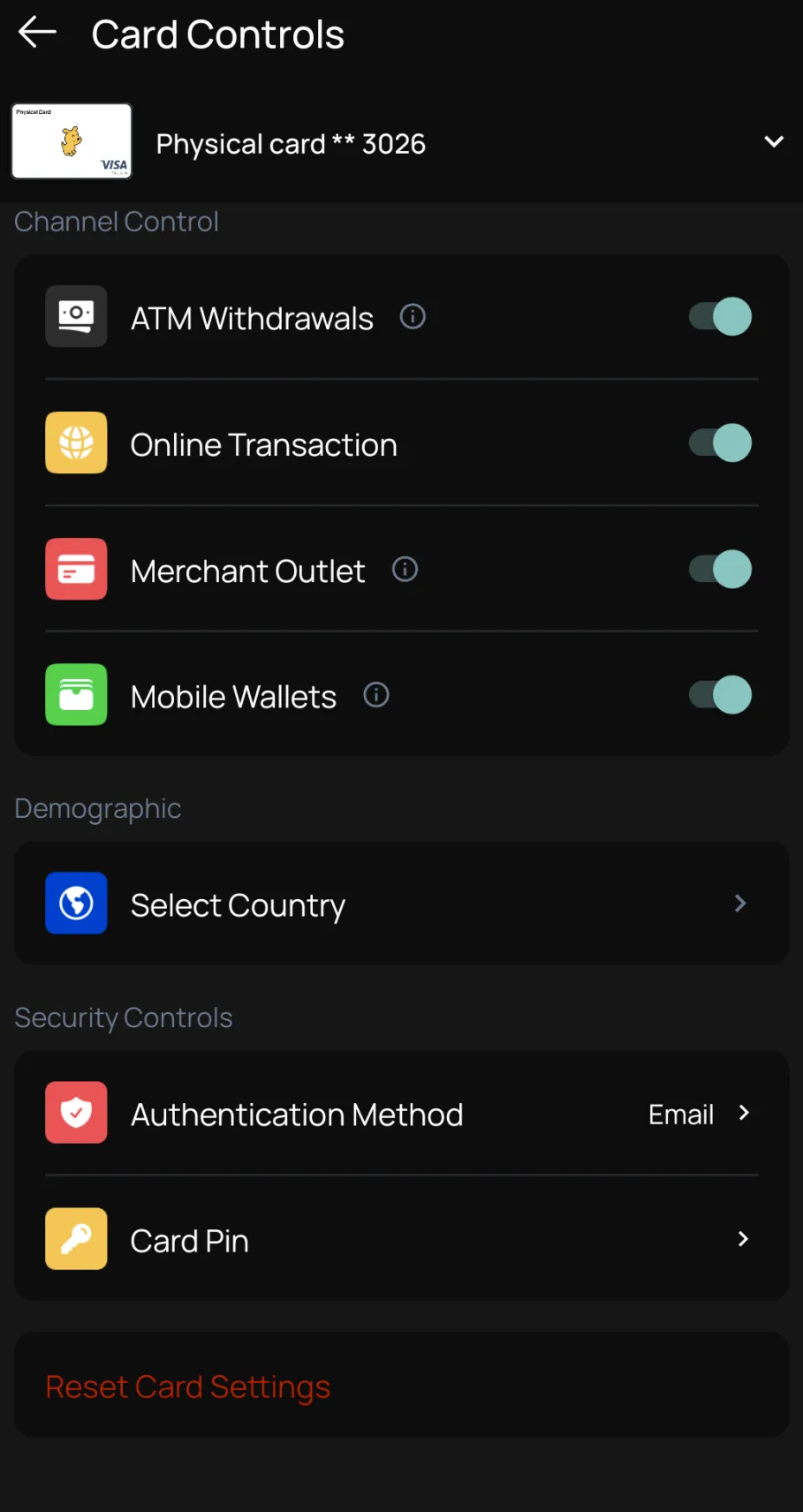
Tap on Controls.
-
Select and create your own PIN.
-
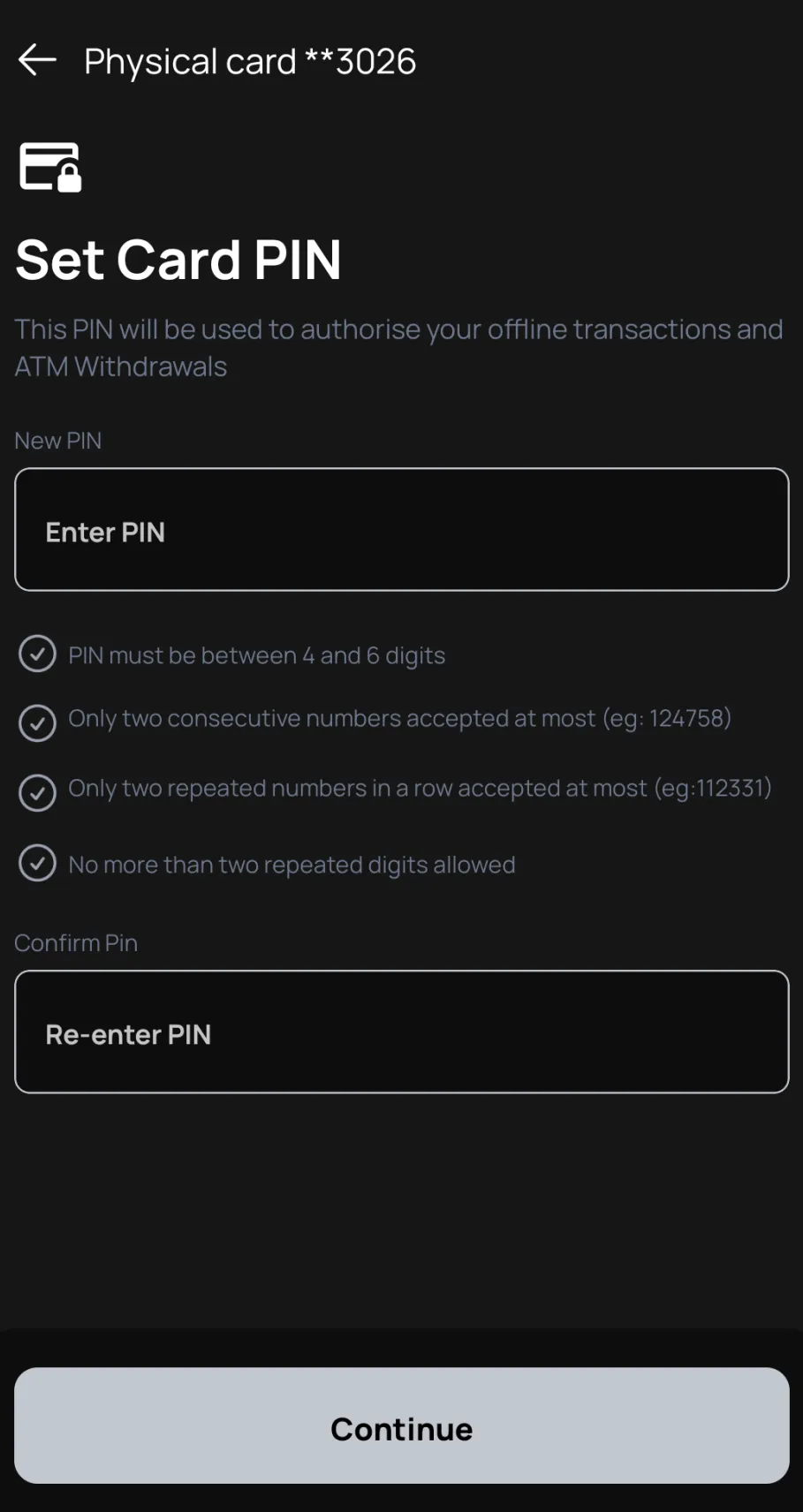
Set a PIN combination of 4 to 6 digits of your personal choice. You need to set in both fields the same sequence for double check.
-
Continue and add the OTP code it will arrive in your Email or Telegram.
-
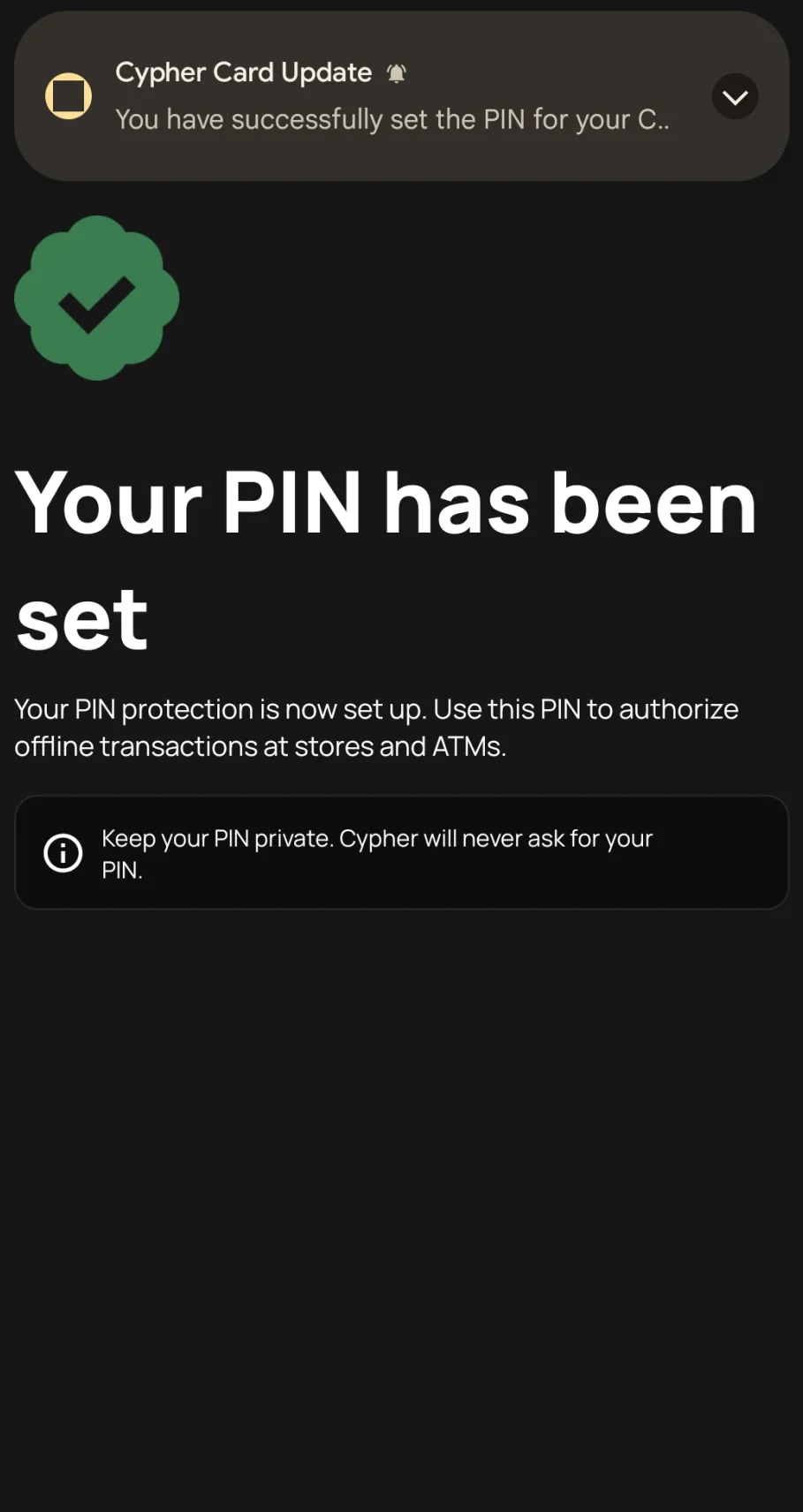
Congratulations you’re ready to use your card PIN.
Key Points to Remember
- You can use this PIN for ATM withdrawals and in-store purchases that require PIN authentication.
- Keep your PIN private. Cypher will never ask for your PIN combination.
- For set a new PIN you need to Reset Card settings on controls and repeat the process above.